

Kalpa Driver Manager
The Kalpa Driver Manager is a project that automatically and user-friendly installs additional drivers on the immutable Linux distribution Kalpa Desktop.
Challenge
To install drivers on an immutable Linux distribution, make complex technical processes such as hardware detection and authentication accessible to users without technical expertise, and at the same time preserve the stability and integrity of the system.
Solution
Use of system snapshot mechanism, hide technical complexity such as PCI Device IDs and kernel modules behind an intuitive graphical interface, and perform automatic verifications that ensure even beginners can easily install drivers.

About the Project
The Kalpa Driver Manager is a project we developed with Kalpa Desktop to solve one of the greatest practical challenges when using this Linux distribution. Graphics cards require special software modules, called drivers, to function properly. NVIDIA graphics cards in particular require proprietary drivers, the source code of which is not publicly available.
In doing so, we faced a unique challenge: Kalpa Desktop is an immutable Linux distribution, which means that the operating system itself cannot be directly modified. This is similar to a smartphone, a security feature that prevents unintended changes. While normally Linux vendors can ship drivers with their distribution, this is not possible here. Due to legal restrictions, Kalpa Desktop cannot pre-install the proprietary NVIDIA drivers.
The central problem we addressed with the Kalpa Driver Manager is hardware detection. To install the correct driver, the system must know which graphics card is installed. Without a working driver, the system often cannot recognize its own hardware. We solved this problem through PCI Device IDs, unique identification numbers that every hardware carries within itself and that the computer can read without needing a special driver.
Another technical challenge is authentication for system changes. Kalpa Desktop has no dedicated root account, meaning no separate administrator user. Instead, the user set up first is in a permissions group that has the appropriate rights for system changes. When making changes to the system, this user must actively confirm these actions through password entry. This is an important security feature that prevents changes from happening unnoticed. We solved the integration into our tool by outsourcing this authentication process to the system. The tool performs all administrator tasks transparently and securely directly in the system and requests password confirmation when necessary. Everything happens completely through the graphical interface, so technical processes remain invisible to the user.
We also made deliberate decisions regarding hardware compatibility. Older NVIDIA graphics cards are recognized by our tool, but the user is clearly informed that these are not supported. This way we avoid confusion when someone is confronted with incompatible hardware. For NVIDIA graphics cards released in the future that our tool does not yet know, we conservatively install the latest available driver. This ensures that new hardware also works as much as possible without us having to constantly release updates.
The support of our tool is very comprehensive: we cover all NVIDIA graphics cards from the Maxwell generation (GTX 900 series and some models of the GTX 800 series) to the latest Blackwell generation (RTX 5000 series). We distinguish between two different types of drivers. For newer models like the GTX 1600 and all RTX cards, we use drivers with an open-source kernel module, where the code is publicly visible. For older hardware such as the GTX 800 to GTX 1000 series, on the other hand, we use drivers with a closed-source kernel module, where the code is not publicly available.
A particular focus is on user-friendliness. We deliberately equipped the Kalpa Driver Manager with a graphical interface so that even users without any technical knowledge can use the tool. Anyone who is not familiar with Linux, does not know which graphics card is in their computer, and has never manually installed a driver can still use our tool. Technical knowledge should be left to the tool, not to the user.
The immutability of Kalpa also requires a special installation approach. During driver installation, the current state is not simply changed. Instead, the tool creates a new system snapshot, essentially a new version of the operating system that already contains the driver. The user can then select and use this new version. This preserves the integrity and stability of the system.
After starting the new system snapshot, another important feature of our tool comes into play: automatic driver verification. The system automatically runs tests after restart to ensure that the newly installed driver is functioning properly. The user is immediately informed whether everything was successful or if there are any issues. This provides confidence that the graphics card is really recognized and controlled, without the user having to perform technical checks themselves. If something is not right, the system clearly informs them so they can switch back to the previous snapshot if necessary.
We have deliberately limited support for SecureBoot together with older closed-source drivers. SecureBoot is a security mechanism in modern computers that ensures only authorized software loads during startup. To use closed-source drivers with SecureBoot, a complex technical process would be required, for which we currently lack the necessary tools or they are insufficient to properly automate this process. Therefore, we do not currently support SecureBoot for these drivers. In this case, users are instructed to disable SecureBoot.
With our tool, we are also pursuing a larger vision for the future. The Kalpa Driver Manager should manage not only NVIDIA drivers, but eventually also other proprietary components and additional software: ROCm drivers for AMD graphics cards and various proprietary WiFi drivers from Broadcom. This extensibility makes our project a comprehensive solution for all drivers that Kalpa Desktop users might need.
By now, the Kalpa Driver Manager is an official project within the Kalpa ecosystem and is already available to users in the Kalpa Desktop online package sources. The tool is therefore ready for use and can be installed directly from the standard package sources. However, the project still has some significant changes ahead before it can be fully released. Kalpa Desktop is currently replacing its package management system and switching from zypper to dnf, the package manager used by Fedora and other Linux distributions. Our tool must therefore be adapted to this new infrastructure. Additionally, we are planning a comprehensively revised user interface based on Python and Qt6 to improve the long-term stability and maintainability of the tool and to provide an even better user experience.
With our Kalpa Driver Manager, we ultimately enable even beginners to benefit from the advantages of a modern, secure Linux distribution without having to overcome technical hurdles.
Screenshots
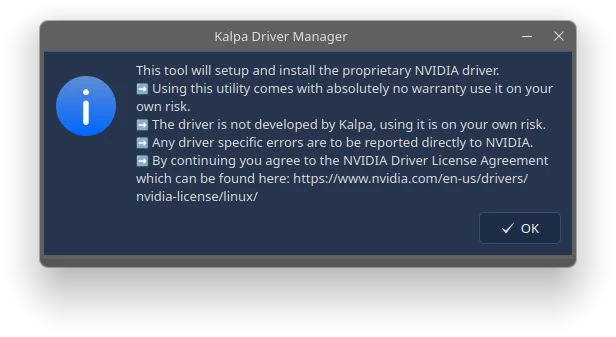
Main Window
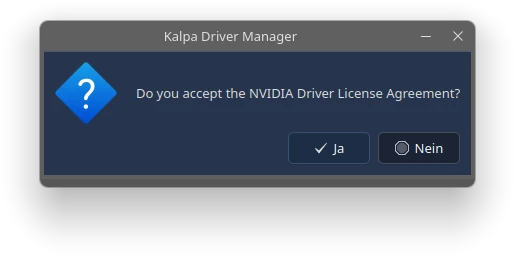
Accept NVIDIA License
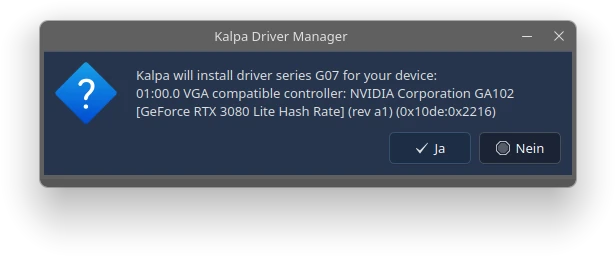
Summary before installation
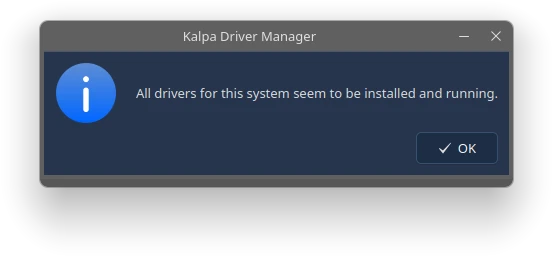
All drivers operational
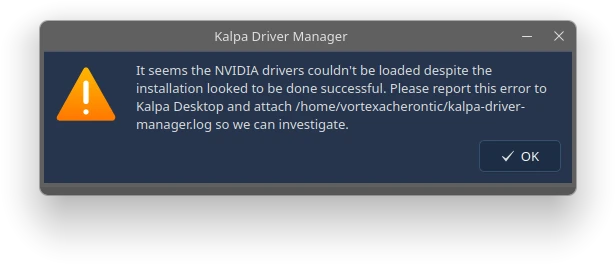
Verify NVIDIA Driver failed
